Same Day Google Review Replies With Manager Templates That Scale

Yes, you should reply to Google reviews, both good and bad. Thank positive reviewers by name and mention what they praised; for negative reviews, use a short four-part reply that acknowledges the issue, takes ownership, states a fix, and invites the customer offline. You’ll need a verified Business Profile first, and every reply you post is public and governed by Google’s content policies.
TL;DR:
- You must verify your business profile before responding to any Google reviews, and responses are publicly visible beneath each review.
- Personalize positive replies by referencing specific details and avoid generic responses to build genuine engagement.
- Use the four-part structure for negative reviews: acknowledge, own, describe a fix, and move offline; keep replies concise and non-defensive.
- Flag reviews only if they violate Google’s policies, such as containing spam, personal information, or abusive language, and avoid over-apologizing for vague or unverified issues.
- Automate and scale review responses with templates and tools like ReviewSync, prioritizing human judgment for complex or risky cases to maintain a personal touch.
Table of Contents
- How to reply to Google reviews
- Best Practices for Responding to Positive Reviews
- The Four-Part Framework for Responding to Negative Reviews
- Handling Star-Only and Vague Reviews
- When to Flag a Review for Removal
- Copy-paste reply templates (adapt before you post)
- Building a Workflow That Scales Without Losing the Human Touch
- Why Experience With Reputation Management Matters Here
- The Real Gap in Most Review Advice
- Turn Review Replies Into a Repeatable System With ReviewSync
- FAQ
- Sources
How to reply to Google reviews
You need a verified Google Business Profile before you can reply — unverified listings cannot post owner responses. Once you are verified:
- Open Google Search or the Google Maps app and search for your exact business name, or open your Business Profile dashboard and choose Reviews.
- Find the review and select Reply. Your answer appears publicly as “Response from the owner” directly under the customer’s review.
- Write a specific reply, not a generic one: use the reviewer’s name if they gave it, mention one detail from their review, and keep it short.
- For a problem, acknowledge it, say what you are doing about it, and give one direct way to contact you so the detail can be handled privately.
- Read it once as if you were the next customer, not the reviewer. Future customers are the real audience for every public reply.
- Post it, then log the review internally — date, issue, who replied, and whether it needs follow-up — so patterns do not disappear into individual inboxes.
Aim to reply the same day where you can, and prioritise negative or mixed reviews if you have to choose. A calm reply posted promptly does more for trust than a perfect reply posted three weeks later.
Where to find the Reply button
Before you can respond to Google reviews at all, your Business Profile has to be verified. Check your verification status under the “Business Profile” tab in Google Business Profile Manager; unverified listings can’t post owner responses. Once verified, replying takes seconds:
- From Google Search or Maps, search your business name, open the “Reviews” tab, and tap Reply under the review you want to answer.
- From the Business Profile dashboard, click Reviews in the left menu, find the review, and select Reply.
- Your response publishes as “Response from the owner” directly beneath the customer’s comment, visible to anyone who reads your listing.
Editing or deleting a reply you already posted
You can edit or delete your own reply anytime by clicking the same Reply button and choosing Edit or Delete, though the customer’s original review stays put unless they remove it or Google takes it down.
Google reviews your replies against its content policies, so expect occasional moderation delays, particularly if your wording resembles spam or contains contact information Google flags automatically.
Best Practices for Responding to Positive Reviews
A generic “thanks for the review” wastes a genuine compliment. Reference something specific: the product they bought, the staff member they named, the problem you solved. Specificity signals that a real person read the review, not a bot cycling through a script.
- Thank the reviewer by name if they used one, and repeat a detail from their comment.
- Reinforce their decision to choose you, so they associate that good feeling with your brand again.
- Invite them back or mention a referral program only if it fits naturally, never as a bolted-on sales line.
- Keep it under four sentences; positive replies don’t need length to feel sincere.
Pro Tip: Mention your city or neighborhood once in a while when it fits naturally. It doesn’t help the individual reviewer, but it helps future searchers confirm they’re looking at the right local business.
Skip the temptation to copy-paste identical replies across every five-star review. Even small variations, a different opening line, a different detail pulled from the review, keep your profile from looking automated.
The Four-Part Framework for Responding to Negative Reviews
Negative reviews test your judgment more than your writing skill. Practitioners generally recommend a four-part reply structure that keeps you accountable without opening the door to liability:
- Acknowledge the experience in the customer’s own terms, without being defensive.
- Own the part that’s genuinely yours to own, even if it’s just the inconvenience.
- Describe one concrete corrective action, not a vague promise to “do better.”
- Move offline by giving a direct contact method, phone, email, or a named manager.
Never argue with a reviewer publicly, correct their version of events point by point, or admit fault in language that could create legal exposure. Future customers read these replies as much as the original reviewer does, so calm and concise beats emotional every time. Aim for under 70 words; anything longer starts to read as defensive.
If the customer’s issue gets resolved through the private channel, it’s reasonable to ask, politely, whether they’d consider updating their review once things are fixed. Document each escalation internally, who handled it, what was promised, and whether the customer followed up, so patterns of complaints don’t disappear into individual email threads.
Pro Tip: Draft your negative-review reply, then delete the first sentence. It’s almost always where the defensiveness creeps in.
How to respond to negative Google reviews: tone, limits and escalation
Tone. Calm, brief and specific. Acknowledge the experience in the customer’s own terms, take responsibility for the part that is genuinely yours, name one corrective action, and move the detail offline. Write for the next hundred readers, not to win an argument with this one.
What not to say.
- Do not argue, correct the customer’s version point by point, or suggest they are lying — even if you believe the review is unfair. Flag policy violations through Google instead.
- Do not offer refunds, discounts or compensation in the public reply. Invite them to contact you and settle it privately.
- Do not use language that admits legal fault (“we were negligent”, “we broke the rules”) or disclose anything about the customer’s account, health, order or payment details.
- Do not ask them to change or remove the review as the price of help. If you resolve the issue, it is reasonable afterwards to politely ask whether they would consider updating it.
- Do not copy the same apology under every review. Readers notice, and it undermines the replies that were sincere.
Escalation. Route a review to an owner or manager the same day if it mentions safety, discrimination, legal action, extortion (“pay us or the review stays”), a vulnerable customer, or a possible fake review from a competitor. Reply publicly only with a short holding response — thank them, say a named person is looking into it, and give a direct contact — while the facts are checked internally. Keep a record of what was promised and by when, and post nothing further publicly until that check is done.
If the review itself breaks Google’s policies (spam, conflict of interest, personal information, abusive content), report it through your profile rather than debating it in public. Our guide to Google reviews policy explains what counts as a violation and what evidence to submit, and our playbook for removing fake Google reviews covers the appeal step by step.
Handling Star-Only and Vague Reviews
A one-star rating with no text is frustrating precisely because there’s nothing to respond to. Resist the urge to over-apologize for a problem you can’t identify.
- Post a brief, neutral acknowledgment and invite the reviewer to share details privately.
- Avoid assuming what went wrong; guessing publicly can make an unrelated issue look like a pattern.
- Log recurring vague one-star reviews by date and location; if they cluster around a specific time or staff shift, that’s an operational clue worth investigating internally.
When to Flag a Review for Removal
Reporting a review only makes sense when it violates Google’s content policy, not simply because you disagree with it. Valid categories include spam, exposed personal information, conflicts of interest (a competitor posing as a customer), abusive language, and extortion attempts.
- Report through the Business Profile dashboard by clicking the three-dot menu next to the review and selecting Flag as inappropriate.
- Reviews reported through Google’s flagging process can take several days to review, and many flagged reviews stay up if they don’t clearly break policy.
- While a report is pending, a short public reply noting you’ve flagged the content for review shows other readers you’re taking it seriously.
Copy-paste reply templates (adapt before you post)
Positive review — specific praise
Thank you, [Name] — we’re glad [specific thing they praised, e.g. “the team could fit you in the same day”] worked out well. We appreciate you choosing [Business name], and we’ll be here whenever you need us again.
Positive review — short version
Thanks so much for the kind words, [Name]. It means a lot to the whole team at [Business name]. Hope to see you again soon.
Negative review — service issue
We’re sorry your [visit/order/appointment] fell short, [Name] — that’s not the standard we aim for. We’ve [one concrete action, e.g. “spoken to the team on duty and changed how we confirm bookings”] so it doesn’t happen again. Please contact [named person] on [phone/email] so we can put this right for you directly.
Negative review — you need more information first
Thank you for telling us, [Name]. We’d like to understand what happened so we can fix it, but we don’t have enough detail here to find your booking. Please reach [named person] on [phone/email] with the date of your visit and we’ll look into it straight away.
Neutral / mixed review (3 stars)
Thanks for the balanced feedback, [Name]. Glad [thing they liked] worked well — and you’re right that [thing they criticised] needs attention. We’re [action being taken], and we’d welcome the chance to do better on your next visit.
Star-only review (no written text)
Thanks for rating us, [Name]. If anything about your visit could have been better, we’d genuinely like to hear it — you can reach us any time on [phone/email].
A note on tone: templates are a starting structure, not a script to paste unchanged. Ten identical replies in a row read as automated to the next customer, even when each one was posted by a person. Replace every [bracketed] placeholder, and never post a template verbatim without personalising at least the name and one specific detail.
Building a Workflow That Scales Without Losing the Human Touch
Replying to reviews works best as a scheduled task, not a reactive one. Aim to respond the same day when feasible, and set a minimum of checking reviews on every weekday even during slow weeks.
- Use templates for volume, but always personalize the reviewer’s name and one specific detail.
- Route negative reviews to a manager or owner rather than automating end-to-end resolution; automation without oversight risks publishing something you’ll regret.
- Assign a clear escalation path for legal-sounding or extortion-flavored complaints, and keep a log of who replied to what.
Pro Tip: Build a simple spreadsheet tracking reply time, reviewer name, and resolution status. Six months in, it becomes a surprisingly useful early-warning system for operational problems.
Why Experience With Reputation Management Matters Here
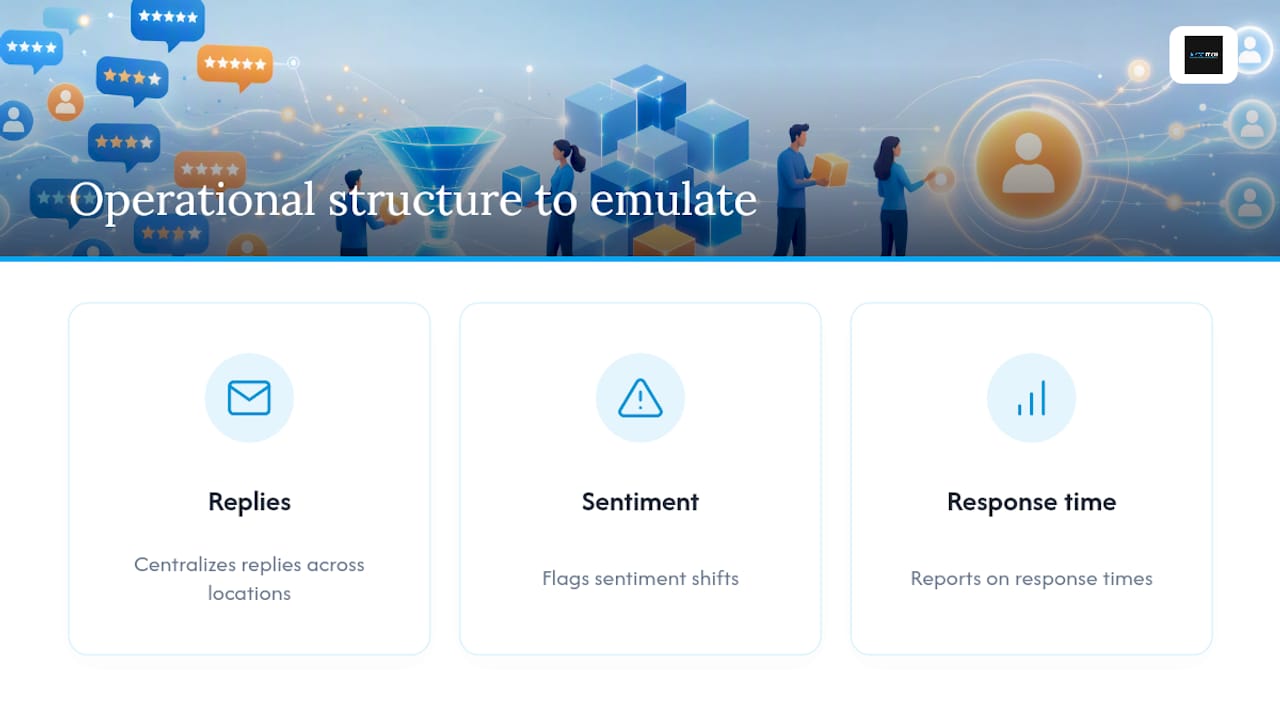
Advice on review responses is easy to find; advice that holds up across hundreds of client profiles is rarer. This guidance draws on patterns AISEO Tech has observed managing reputation workflows for businesses juggling review volume across multiple locations. ReviewSync, AISEO Tech’s platform, centralizes replies, flags sentiment shifts, and reports on response times, which is exactly the operational structure this guide recommends building manually if you’re not there yet.
The Real Gap in Most Review Advice
Most guides on responding to Google reviews treat every reply like a one-off writing exercise. That’s the wrong frame for any business getting more than a handful of reviews a month. The Harvard Business Review’s research on reply impact matters less as a motivational stat and more as a scheduling problem: if replying improves ratings, then replying consistently, not just occasionally, is what actually moves the needle.
Where conventional advice falls short is treating templates and automation as opposites. They’re not. The businesses that handle reviews well use templates for structure and speed, then spend their limited attention on the ten percent of reviews that actually need judgment, the legal-sounding complaint, the ambiguous one-star, the customer worth calling personally. Full automation on negative reviews is where things go wrong; a bot-generated apology to a customer describing a safety issue reads as tone-deaf at best.
If you’re managing reviews across more than one location, prioritize building the escalation path before you worry about response wording. Good templates fix tone. A missing escalation path is what turns a bad Tuesday into a bad quarter.
— Prasad
Turn Review Replies Into a Repeatable System With ReviewSync
Aiseo gives you the one thing manual review management can’t: a single dashboard where every review across every location lands in one place, instead of scattered across separate Google Business Profile logins.

ReviewSync aggregates reviews across platforms, applies sentiment signals to flag which ones need a manager’s eyes first, and offers response templates you customize rather than reuse blindly. That maps directly to the workflow this guide recommends: fast replies for routine feedback, human judgment reserved for the reviews that actually carry risk. Reporting tools track response time and resolution rates automatically, so the tracking spreadsheet becomes unnecessary. If your review volume has outgrown what one person can handle inside a single dashboard, it’s worth seeing how Aiseo’s reputation management platform handles the load. Request a demo through Aiseo’s website to see ReviewSync running against your own listings.
FAQ
How do I reply to a Google review as the business owner?
Verify your Google Business Profile, open Reviews in Search, Maps or your profile dashboard, select Reply under the review, and post a short, specific response. It appears publicly as “Response from the owner”.
Should I respond to negative Google reviews even if the complaint seems unfair?
Yes — briefly and calmly. Acknowledge the experience, give a direct contact, and handle the detail privately. If the review breaks Google’s policies, report it rather than arguing in public.
Can I edit or delete my reply later?
Yes. You can edit or delete your own response at any time from the same Reply option. The customer’s original review stays unless they remove it or Google takes it down for a policy violation.
How fast should I reply?
Same day where you can, and negative or mixed reviews first. Consistency matters more than perfection: a short, sincere reply posted promptly builds more trust than a polished one posted weeks later.
Sources
For platform steps and policy specifics, review Google Business Profile Help and Google’s flagging guidelines directly before making removal decisions.
- Manage customer reviews – Google Business Profile Help
- 7 tips to master the art of responding to online reviews — Justdial
- How to handle negative Google reviews & protect your brand — Search Engine Land