12 Weeks to a LinkedIn Content Strategy for B2B Teams That Uses Employee Driven Reach

Build a people-first LinkedIn content system around two to three content pillars, post two to five times a week from personal profiles rather than the company page, and lead with formats like carousels and PDFs while treating video as a reach play. Measure comment rate as your leading indicator of distribution health, not likes or follower count. Everything below walks through how to build and run that system.
TL;DR:
- Posting two to five times weekly from personal profiles using carousels, PDFs, and short-form videos maximizes reach and engagement on LinkedIn’s current algorithm.
- Focusing on comment rate as the primary distribution indicator provides a more accurate measure of content health than likes or follower count.
- Building three to four content pillars aligned with your business goals ensures consistent, relevant topics that reinforce your credibility and audience needs.
- Commenting and engaging within the first 90 minutes after posting is crucial for amplifying reach and understanding content performance.
- Employee-driven content outperforms company pages, making a deliberate employee advocacy program essential for expanding distribution and trust.
Table of Contents
- What Is the Best LinkedIn Content Strategy Right Now?
- Which Content Pillars and Formats Actually Perform?
- When Should You Post on LinkedIn for Maximum Reach?
- How Do You Write a LinkedIn Post That Gets Comments?
- Does Employee Advocacy Beat Company Page Posting?
- Which LinkedIn Metrics Actually Predict Business Results?
- What Should Your First Month of LinkedIn Content Look Like?
- What Credentials Back This LinkedIn Playbook?
- What’s the One Thing Most Teams Get Wrong First?
- How Can AISEO Tech Help You Run This Playbook?
- Where Can You Read More on This Topic?
- Sources
What Is the Best LinkedIn Content Strategy Right Now?
LinkedIn’s distribution engine has changed shape. It now rewards topical consistency and substance over shortcuts, and it leans heavily on employee-driven content rather than company page posts, according to analysis from the Content Marketing Institute. That single shift explains why so many brand pages post into silence while individual employees on the same team get thousands of impressions from a similar idea.
Here’s the operational system that works with that reality instead of against it.
Step 1: Pick one primary objective and map content jobs to it. Before you touch a content calendar, decide what LinkedIn is actually for in your business. Is it pipeline generation, hiring, thought leadership that shortens sales cycles, or investor visibility? Each objective changes what “winning” content looks like. A hiring-focused strategy leans on employee stories and culture posts. A pipeline-focused strategy leans on frameworks, case studies, and posts that surface a problem your buyer recognizes.
Step 2: Choose two to three content pillars. Pillars are the two or three topics you’re willing to post about for the next 12 months, chosen at the intersection of what you’re genuinely credible on and what your audience needs answered. A B2B SaaS founder might run pillars on “founder-led sales,” “pricing psychology,” and “hiring your first AE.” A marketing consultant might run “LinkedIn algorithm mechanics,” “B2B content ROI,” and “client onboarding systems.” Three is a practical ceiling. Spread across five pillars and the algorithm never gets a consistent enough signal to know who to show your content to.
Multi-image and document posts consistently outperform single-image and text-only posts on engagement efficiency, according to Ordinal’s analysis of B2B social content, while video tends to win on raw impressions rather than comments or saves.

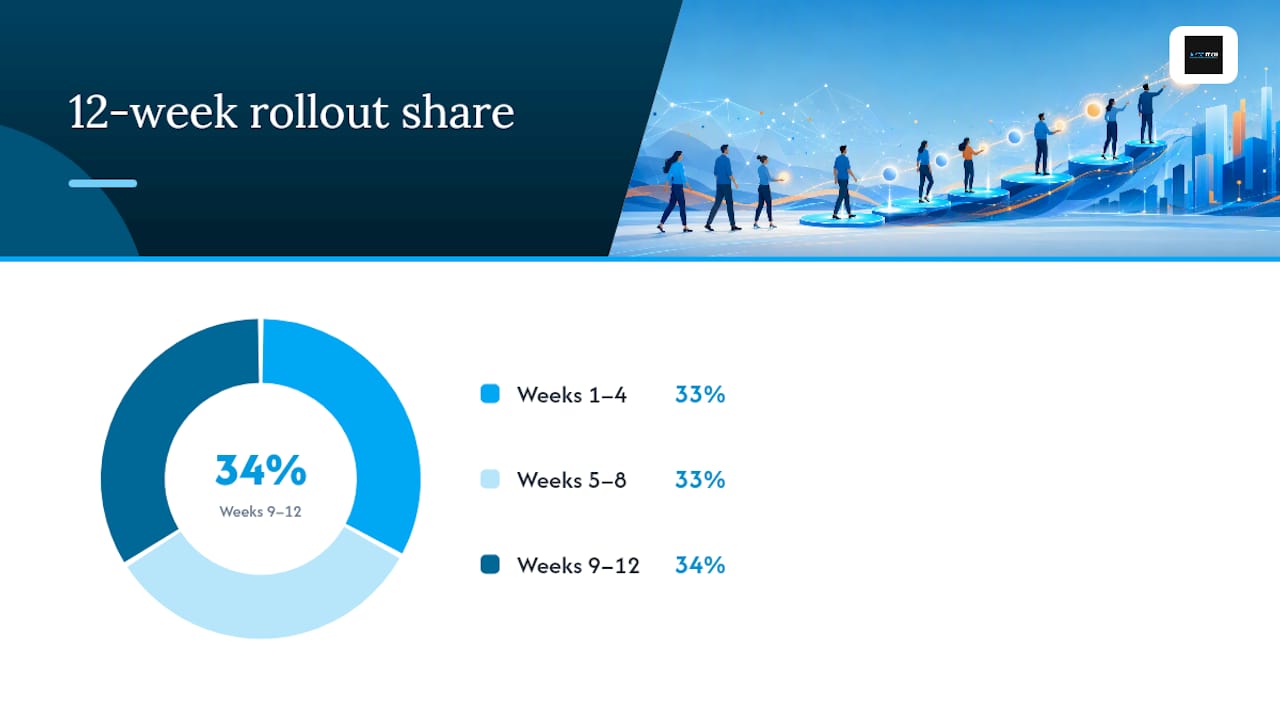
Step 4: Set your cadence tier and commit to a 12-week rollout. Posting sporadically confuses the algorithm’s read on your topical consistency. A realistic 12-week arc looks like this: weeks 1 through 4 train the algorithm through steady, on-pillar posting; weeks 5 through 8 stabilize, cutting formats that underperform and doubling down on what works; weeks 9 through 12 are typically when inbound interest starts showing up if the first eight weeks were disciplined.
Step 5: Build a lightweight approval workflow. For solo operators, this is a personal checklist. For teams, assign one person to draft, one to review for pillar fit and hook strength, and one (often the poster) to handle the first 90 minutes after publishing. That window matters more than almost anything else in this list.
Step 6: Run the first-90-minutes checklist every time.
- Reply to every comment within the first hour, ideally the first 20 minutes.
- Ask a colleague or two to add a substantive comment, not just a like.
- Avoid editing the post’s text after publishing; edits can suppress distribution.
- Check your notifications twice in the first two hours instead of once at the end of the day.
- Note the hook performance so you can compare it against your last five posts.
LinkedIn’s own guidance to marketers recommends using Page features deliberately rather than treating the company page as a default megaphone. Fold that into your workflow: the company page confirms and archives what employees are already saying, it doesn’t lead.
Which Content Pillars and Formats Actually Perform?
Three to five pillars is the workable range, though two to three is safer for anyone posting solo. Each pillar should map to at least three or four distinct post ideas so you’re never staring at a blank calendar wondering what to say next. Write down ten post ideas per pillar before you publish post one. That backlog is what keeps cadence from collapsing in week six.
Format choice should follow the outcome you want:
- Carousels and PDF documents win on engagement efficiency and saves, making them the highest-leverage format for a B2B audience that bookmarks frameworks to revisit later.
- Short-form video is worth testing now that LinkedIn is experimenting with a TikTok-like video feed, which makes video a legitimate reach lever even if it rarely tops engagement leaderboards.
- Text-only posts are the fastest to produce and best suited to hot takes, quick lessons, or reactions to industry news.
- Multi-image posts sit between carousels and single images, useful for before/after comparisons or step sequences that don’t need a full document.
A carousel’s first slide should function like a magazine cover: one bold claim, minimal text, no logo taking up a third of the space. A PDF document works best structured as problem, framework, proof, and takeaway, in that order. A video hook should deliver one specific, useful skill in the first eight seconds, because LinkedIn cuts off attention fast if the payoff isn’t immediate.
Formatting rules that consistently matter: keep your hook under two lines so it survives the “see more” cutoff, use single-sentence paragraphs with line breaks between them, and drop any external link into the first comment rather than the post body, since outbound links in the post itself tend to suppress reach.
Pro Tip: Screenshot text instead of typing long quotes into your post. A clean screenshot of a Slack message, a customer email, or a dashboard reads as proof; typed-out paraphrasing reads as a claim.
When Should You Post on LinkedIn for Maximum Reach?
Cadence depends on your capacity, not an arbitrary rule. A solo operator can sustain two to three posts a week without burning out their idea pipeline. A small marketing team can usually manage four to five posts weekly across one or two active posters. An agency running this for clients typically batches a month of content in a single production sprint, then adjusts live based on early performance.
Timing trades off differently depending on your goal. Posting during commuting hours (early morning) or midday tends to catch more scrolling attention, which helps reach. Posting mid-morning on a weekday when your specific audience is at their desk tends to produce more substantive comments, which helps engagement. Neither beats the importance of the first 90 to 120 minutes after you hit publish, since that early window is when LinkedIn decides how far to push a post beyond your immediate network.
Practical cadence guidance:
- Batch-write four to six posts in one sitting once a week rather than writing fresh each morning.
- Schedule drafts but publish manually when possible, since manual publishing lets you commit to the 90-minute engagement window.
- Keep a running swipe file of hooks and ideas so a slow week doesn’t turn into a skipped week.
- Watch for burnout signals like reused hooks or pillar drift, both early warnings that it’s time to pause and rework your content bank rather than push out something weak just to hit the schedule.
Scale cadence up only after eight weeks of consistent, on-pillar posting show stable or rising comment rates. Scaling too early, before the algorithm has a clean signal on your topics, usually just dilutes reach across more mediocre posts instead of compounding it.
How Do You Write a LinkedIn Post That Gets Comments?
The hook decides almost everything. Analysis of 200 high-performing B2B posts found that openers built around a specific number or a counterintuitive admission consistently outperformed vague statements, and posts that included concrete examples generated more comments than posts that stayed abstract, according to LinkedIn Daily’s breakdown of what those posts had in common. “I lost a $40,000 client because of one Slack message” beats “Communication matters in client relationships” every time.
Two structures cover most winning posts. Story then lesson opens with a specific, textured moment, then draws out the one thing worth remembering. Framework or list states the number up front (“Three mistakes I see in every failed LinkedIn strategy”) and delivers on that exact promise, no detours.
Your call to action should invite disagreement or specificity, not vague engagement:
- “What would you add to this list?” beats “Thoughts?”
- “Tell me the number that surprised you” beats “Let me know what you think.”
- “Comment ‘template’ and I’ll send you the doc” works well for gated resources, since it drives comments that also double as lead capture.
Pro Tip: Write your hook last. Draft the whole post first, then go back and pull the single sharpest sentence from the body to use as your opener.
Keep paragraphs to one sentence each, use bullets only for genuinely listable information, and drop a screenshot in wherever a claim can be shown instead of told.
Does Employee Advocacy Beat Company Page Posting?
Personal profiles consistently out-distribute company pages for the same content, which is why the smartest B2B teams treat the company page as a hub, not a megaphone, reserving it for official announcements while employees carry the actual reach.
Building a real advocacy program, not a forced one, takes a few deliberate steps.
- Score potential contributors on five criteria: posting frequency, engagement rate, content relevance, audience quality, and profile completeness, an approach the Content Marketing Institute’s research on the topic backs directly.
- Give recruited employees a monthly pillar brief, not a script. Prescribed language reads as hollow the moment a reader scrolls past three identical posts from the same company.
- Coordinate early engagement ethically: ask two or three colleagues to comment within the first hour of a strategic post, but never mandate company-wide liking or sharing.
- Test small paid boosts on posts that are already organically outperforming, rather than boosting weak content to compensate for a flat hook.
- Put the resource link in the first comment when a post promotes a gated asset, keeping the post itself link-free for better reach.
Watch for red flags that undercut long-term trust: engagement pods, where a closed group mutually likes and comments regardless of content quality, forced sharing mandates that produce resentment instead of advocacy, and engagement-bait phrasing like “Like if you agree” that LinkedIn’s own systems increasingly deprioritize.
Which LinkedIn Metrics Actually Predict Business Results?
Comments and saves carry far more distribution weight than likes, which makes them the KPIs worth building a dashboard around, a point Sprout Social’s research on LinkedIn content marketing backs up directly.
Four numbers matter most:
- Comment rate, calculated as comments divided by impressions. A healthy benchmark for a B2B account with a niche, engaged audience often lands somewhere around 1 to 3%, though this varies widely by industry and audience size, so treat it as a trend to watch rather than a fixed target.
- Save rate, a strong signal for reference-style content like frameworks and templates.
- Profile views from your target audience, which tells you whether the right people are finding you, not just any people.
- Inbound qualified leads, the number that ultimately justifies the time investment to a manager or a founder.
Review these weekly for the first 12 weeks, then move to a monthly cadence once your pillars stabilize. If comment rate drops for three consecutive posts, that’s your signal to revisit hooks or pillar relevance before you touch cadence. Attribution to pipeline is mostly qualitative early on (a prospect mentions a post in a discovery call) before it becomes quantifiable through tracked link clicks or gated content downloads.
What Should Your First Month of LinkedIn Content Look Like?
A 4-week starter calendar, assuming three posts a week across two pillars, might run like this:
Week 1: Monday, carousel on Pillar A’s core framework. Wednesday, text post reacting to industry news. Friday, PDF document breaking down a client mistake.

Week 2: Monday, story-then-lesson post on Pillar B. Wednesday, multi-image before/after post. Friday, short video hook demonstrating one skill.
Week 3: Repeat the Week 1 shape with new content, tracking which format got the highest comment rate.
Week 4: Double down on your best-performing format from Weeks 1 through 3, testing a bolder hook style.
Three copy-ready templates:
- Text post skeleton: Hook (one sentence, specific number or admission). Context (two to three sentences). Lesson (one clear takeaway). CTA (a specific question).
- Carousel checklist: Slide 1, bold claim. Slides 2 to 7, one idea per slide with minimal text. Final slide, recap plus CTA.
- PDF outline: Cover with the core promise. Problem statement. Framework or steps. Proof or example. One-page recap.
Run the first-90-minutes checklist from earlier every time you publish, and once a post performs well, repurpose it: turn a strong text post into a carousel the following month, or pull one slide from a high-performing carousel into a standalone post.
What Credentials Back This LinkedIn Playbook?
. This playbook draws on documented shifts in how LinkedIn distributes content and on patterns observed across hundreds of high-performing B2B posts, not guesswork.
…
ReviewSync’s sentiment analysis and multi-platform tracking map cleanly onto the measurement habits this strategy demands: teams already monitoring review sentiment and response velocity have the analytical muscle to track comment rate, save rate, and lead attribution with the same discipline.
What’s the One Thing Most Teams Get Wrong First?
If I had one month to fix a struggling LinkedIn presence, I’d spend it narrowing pillars, not expanding formats. Most teams chase video before they’ve proven a single pillar resonates, and they end up with scattered content that trains the algorithm on nothing consistent.
The common mistake is treating week 3’s silence as failure instead of data. Comment rate dips happen; the fix is usually a sharper hook, not a new topic. Persistence past week eight is what separates accounts that break through from accounts that quietly go dormant. Measure weekly, adjust monthly, and give the system the full 12 weeks before judging it.
— Prasad
How Can AISEO Tech Help You Run This Playbook?
Aiseo builds the operational backbone for teams who want this LinkedIn system running without turning one employee into a full-time content department. That means content operations support to keep pillars and cadence on track, structured employee advocacy programs built around the same scoring criteria covered earlier, and analytics that connect LinkedIn activity to the reputation and pipeline signals that actually matter to leadership.
ReviewSync fits directly into the measurement side of this strategy: it tracks sentiment and reviews across platforms the same way you’d want to track comment rate and lead quality on LinkedIn, giving you one dashboard logic instead of five disconnected spreadsheets. Engagements typically run as a project scope for a defined rollout, an ongoing retainer for continuous content operations, or a standalone ReviewSync subscription for teams that just need the reputation layer. A first call usually covers your current pillars, posting capacity, and where measurement gaps are costing you visibility. Visit the AISEO Tech reputation management page to see how the growth engine works, or head to the AISEO Tech homepage to request a demo and get a first call on the calendar.
Where Can You Read More on This Topic?
- LinkedIn algorithm and marketing strategy (Content Marketing Institute) explains the shift toward topical consistency and employee-driven distribution in detail.
- The ultimate guide to improve your B2B content marketing strategy (LinkedIn Marketing Blog) is LinkedIn’s own playbook for aligning company and employee content.
- B2B content marketing on LinkedIn (LinkedIn Daily) breaks down real patterns from 200 top-performing posts.
- Mastering LinkedIn content marketing (Sprout Social) covers the metrics worth tracking beyond likes and followers.
- Master LinkedIn content creation for qualified leads (The Lead Lab) offers a tactical lens on turning posts into pipeline.
Sources
- LinkedIn algorithm and marketing strategy (Content Marketing Institute)
- LinkedIn experimenting with a TikTok-like video feed (TechCrunch)
- The ultimate guide to improve your B2B content marketing strategy (LinkedIn Marketing Blog)
- B2B content marketing on LinkedIn: what 200 top posts have in common (Linkedin Daily)
- Mastering LinkedIn content marketing: strategies and examples (Sprout Social)